Keep your arms visible
Choose a single-person portrait with space around both shoulders and arms. Cropped elbows, crossed arms and hidden hands give a bicep heart animation less visual information to work with.
Turn your portrait into a Bicep Heart video: a playful flex, a heart-shaped gesture and a little romance. See real photo-to-video examples, create your own clip or learn to film the pose yourself.
Create your videoA photo, a flex, a little love

Actual AI-generated example: the portrait comes to life with a bicep heart gesture. With audio; press play to listen.
One photo. A little love in motion.
Upload a clear portrait with your arms visible. Create a Bicep Heart clip with romantic background music. The preset aims to preserve your appearance and clothing; AI details can vary.
Your finished video will appear here, ready to watch and download.
Watch the exampleAnother photo. The same sweet gesture.
This example starts with a long-sleeve portrait and ends with a held heart pose. Watch the full movement, then compare it with the original photo. This is an actual AI-generated result, shown at its original 480p resolution with the supplied audio.
Your result will depend on your photo. Faces, fingers, clothing and backgrounds can change, so review the finished clip before sharing it.
Make your Bicep Heart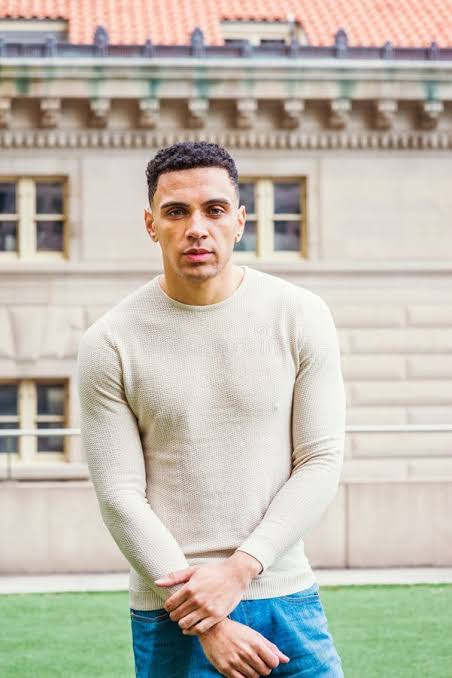
More than a muscle pose
The bicep heart combines a flexed arm with curved hands to suggest a heart shape. Your upper arm forms one side; your wrist and opposite hand help finish the curve. Small changes in camera angle can make the silhouette much easier to read.
You may also see it called the biceps heart or muscle heart. The appeal is simple: a familiar gym gesture becomes a playful way to show affection. Your bicep heart can be a solo joke, a message to your partner or a quick celebration after training. You do not need huge arms; a clear shape and relaxed expression do most of the work.
Start with the right photo
For your AI Bicep Heart, choose one person with a clear face, visible shoulders and room around both arms. You do not need to make the heart in your photo: the generator adds the movement.
This crossed-arm photo produced the Bicep Heart shown above. For a new upload, relaxed arms and visible hands give the AI more detail. A plain background helps; the checkerboard in this sample is not a requirement.
Choose your photo and create a Bicep Heart →Prefer to film your own bicep heart? Follow the steps below, check the shape through your camera and keep every movement comfortable.
Stand against a simple background and position your phone around chest height. Include your head, shoulders, elbows and both hands. For a bicep heart video, vertical framing gives the pose space while keeping your expression visible. Take a small step back if your elbows touch the edges.
Lift and bend one arm into a gentle flex. Curve your wrist and bring your other hand toward it, adjusting until the combined outline reads as a heart. Look at the screen as you refine your bicep heart. Avoid forcing your shoulder or bending your wrist beyond a comfortable range.
Begin with your arms relaxed, move into the pose and hold it briefly. A still finish helps viewers recognize the bicep heart before the clip ends. Record several comfortable takes, compare the silhouettes and choose the version that feels most like you. A natural smile works better than straining.
A cleaner starting point
Preparing an AI bicep heart? Start with a clear portrait and keep the full movement in frame. These tips help you choose your photo; individual results can vary.
Choose a single-person portrait with space around both shoulders and arms. Cropped elbows, crossed arms and hidden hands give a bicep heart animation less visual information to work with.
Face a window or a soft light. Strong shadows can hide the edge of your arm. Clear lighting also makes a manually filmed bicep heart easier to understand on a small screen.
A plain wall and clothing that contrasts with it help separate the pose from the scene. Avoid busy mirrors, overlapping people and objects that cover your body in the bicep heart frame.
Use your own photo or get the person's permission. Skip heavy face filters and tiny screenshots. Keep an original copy so you can compare any future bicep heart result with the source.
| What you need | AI Bicep Heart | Film your own pose |
|---|---|---|
| Starting material | One adult portrait you have permission to use | A phone and room to move comfortably |
| Output | Requested 8 seconds, vertical, 480p, with romantic music | Your camera recording and chosen edit |
| Price | 1 credit per video; packs from $3.99 | No charge to follow this guide |
| What to check | Face, fingers, sleeves and background may vary | Framing, comfortable pose and music permissions |
| Keeping the file | Download within 24 hours of task submission | Save your original recording on your own device |
Give it your own energy
Making your Bicep Heart for a story or message? Leave space for a short caption and keep your face and hands away from the screen edges. If you film your own loop, begin and end in the same relaxed position; the AI example finishes by holding the heart.
Finish a training diary with a bicep heart instead of another serious flex. Keep the setup short, leave a beat for the reveal and use a caption that matches your actual session.
Record a bicep heart as a private hello, a birthday greeting or a quick thank-you. A personal message gives the gesture context. It does not need an elaborate edit to feel thoughtful.
Invite a friend to make their own bicep heart clip and place the takes side by side. Agree before posting, use music you can share and let each person's version have its own personality.
Before you create
Choose a credit pack for your Bicep Heart. Sign in with Google and pay through Stripe Checkout. Your credits are added after the order is confirmed, including valid full-discount orders.
One credit creates one 8-second, 480p vertical video. One-time payment, no subscription.
$3.99
1 credit, never expires
$9.99
3 credits, never expire
$29.99
10 credits, never expire
Checkout shows your total before payment. Confirmed generation failures return credits; requests with uncertain charges require review. Refund policy
Before you flex
No. A bicep heart depends on positioning, framing and a visible outline. Start with a gentle flex and adjust the camera instead of trying to exaggerate your physique.
A bicep heart uses a flexed arm as part of the shape. A two-person hand heart usually joins two people's hands. They share a message, but the poses are different.
The Bicep Heart preset requests an eight-second vertical video at 480p with romantic background music. AI results vary. Sign in with Google and use 1 credit per video. Review the output before sharing.
Share a self-filmed bicep heart privately or on your preferred short-video platform. Check that everyone shown agrees and that your music and other material are cleared for your intended use.
Photos stop being accessible 24 hours after upload. Generated videos stop being accessible 24 hours after task submission. Download promptly; expired personal media is cleaned up hourly. Account and payment records are kept separately.
The photo-to-video examples above were tested by the Bicep Heart team. They show individual outputs, not a guarantee of future results. The pose instructions are an informal filming guide, not exercise or medical advice.